Not all updates are equal.
Arch Linux is fast and always current — but it treats every package the same. Your kernel updates on the same schedule as an icon theme, and a broken kernel update means a machine that doesn't boot. KognogOS sorts every package into a tier and makes the risky ones wait.
Three tiers, three waiting periods
The things that can stop your computer booting wait the longest. Everything else moves at
close to Arch's usual pace. nog computes the plan and shows you what's ready,
what's held, and why — before anything is installed.
Kernel, bootloader, glibc, systemd, mesa. The pieces that, when they go wrong, leave you at a black screen.
The desktop, key applications, and the Forge Suite itself. Breakage here is annoying, not fatal.
Everything else. Close to rolling, with just enough delay to let other people find the bugs first.
Terminal tools that don't make you read a man page first
KognogOS is nog plus the Forge Suite: a family of terminal apps for the parts of Linux that are powerful and unforgiving, and for setting up the desktop itself. All Catppuccin-themed, all built on one shared shell, and growing up together in one repository. Every app works the same way: a Ctrl key and a number for each menu item, the key named on every button, and Help, the manual and About right inside the app. What each app needs to build and run is measured from its own code and written down with it, and every package is built on a clean system before it ships (how).
nog ★ 5
The tier-aware package manager at the heart of it — pacman with a safety net, written in Rust. Computes an upgrade plan before it touches anything. Since 2.0.0, one tool for every source: search, install, info, lock, a status dashboard and a clean-up that covers the repositories, the AUR, Flatpak and Snap alike. It says where each package comes from before anything is downloaded, a removal says what else would go and who still uses it, and a locked package stays put until you say otherwise. Since 2.1.0 it can update with nobody at the keyboard (for the installer, a timer or a script), says plainly when an update didn't finish, asks for the password just once even through a long build, and lets perl and python wait for the programs rebuilt for them.
grubForge ★ 10
Manage and customise the GRUB bootloader — reorder entries, change themes and timeouts — without hand-editing a file that decides whether you boot.
alacrittyForge ★ 1
Every Alacritty setting in one place, edited in the terminal it configures. Build a colour scheme and save it as a reusable theme file.
bitlaForge ★ 1
Solo Bitcoin mining presented as the lottery it actually is. Wraps minerd, and is honest with you about the odds.
forgekit
The shared shell the others are built on — menu bar, workspace, floating dialogs, one consistent look. Now part of the Forge Suite repository; available on its own if you're building something.
nogForge ★ 1
Install, update, remove and clean up apps through nog, in the terminal — search, a review before anything changes, and the password asked inside the app. Since 1.5.0, every source is there: Flatpak apps and snaps sit in the lists like any package, and a Maintenance page shows what each source has left behind and cleans up what you tick. nog runs inside the app, as a progress bar with its own screen folded behind an arrow. Since 1.6.0 other apps can open it already searching, so a missing app is one install away.
sudoForge new
One password box for every admin request on the KognogOS desktop: it floats up on the screen you are using and says who is asking and what for, for apps and for sudo. Your password goes only to the system, which checks it.
displayForge
Screen settings for the KognogOS desktop: arrange your screens, resolution, refresh rate, size, rotation and brightness — and a countdown that undoes a change by itself if a screen goes black. Sway only, and it says so at launch anywhere else.
workspaceForge new
Your workspaces, one screen or three: their names and order, and which apps open on each one however you start them — Steam and your games on Gaming, with every screen going along. A review before every save, a backup first.
nightForge new
The night light, your way: warmer screens after sunset and back at sunrise, how warm and when (by the sun where you live, worked out offline, or fixed times), a ten-second preview, and its own tray icon: a muted ☀ by day, a mustard ☾ at night.
defaultappsForge new
Which app opens what: links, email, calendar invites, pictures, music, video, PDFs, files and more, one list per job. Gmail and Google Calendar are real choices, each in its own window; any app on your computer can take a job, and Find more opens nogForge already searching for one. A review before every save, a backup first.
mindForge ★ 1
A working agreement with an AI assistant that doesn't quietly decay — tiered context, explicit triggers, and a closeout that can't be forgotten.
The KognogOS desktop
being built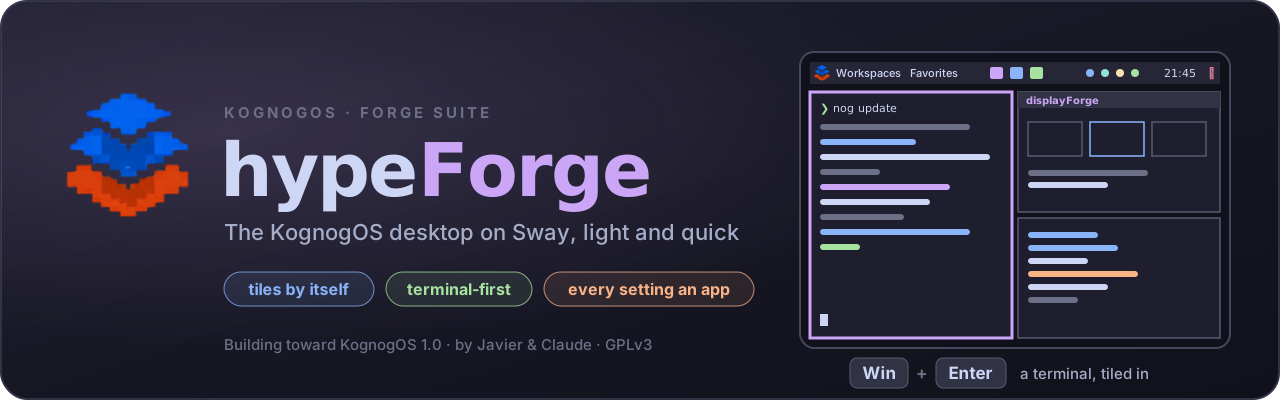
hypeForge lived in daily
The KognogOS desktop: slim, quick and low on memory, on Sway. KognogOS will ship with hypeForge as its only desktop, and it already runs every day on the test machine.
- Windows tile by themselves, side by side, so nothing hides behind anything else — across every screen.
- Six looks to pick from, each in 25 colour themes with its own wallpaper: a slim menu bar, a floating dock, a panel with pop-ups for sound, network, Bluetooth, the night light and your notifications — still tiling, on every screen. Switching is one step and can be undone; themeForge, the app for it, comes next.
- Terminal apps first; the smallest install that does the job.
- Every setting gets its own Forge app — displayForge for the screens, sudoForge for passwords and workspaceForge for workspaces and nightForge for the night light are out — all held by one control centre, hypeForge Settings, already in daily use.
Coming next · installing and first boot
plannedinstallForge
The terminal installer KognogOS needs before it can ship an ISO: edition picker, guided disk setup, user creation, proprietary apps marked and swappable. Its first working version is already in the KognogOS repository.
welcomeForge
The welcome centre, opening at session start. On the live ISO it leads with Install; once installed it drops that and adds a "show at startup" switch. The philosophy, a guided nog tour, the tier guide.
Coming next · the desktop, one Forge app per setting
plannedhypeForge Settings
The control centre: a list on the left, the chosen Forge app running on the right. It opens on a Home page: a card for each part of the system, showing how it's set up right now. Screens, Terminal, Packages and Boot Menu already open inside it, each still runs on its own, and Settings' Quit asks each app before closing.
Sound · Network · Bluetooth
Three apps: each app's volume and every device by its full name; cable and Wi-Fi with passwords; pairing and connecting Bluetooth devices.
Theme manager
The look of everything in one place: the colours, fonts, icons, mouse pointer, borders, corners, wallpaper and lock screen — written together.
Notifications
Where pop-ups appear and for how long, their colours and size, Do Not Disturb, history, and rules for each app.
Windows
Where new windows go on each screen and which ones float above the rest — its own app, now that workspaces have workspaceForge.
Lock & idle
When the screen locks and turns off, and how the lock screen looks.
Default & startup apps
Which app opens what — browser, files, text, pictures, music, video — and which apps start at login.
USB drives
What the bar's drive menu does today, plus formatting, labels and safely powering a drive off.
Calculator
A keypad in our look, with the mouse or the keyboard, and a strong engine underneath.
Later · files, drives and the shell
ideasfileForge
Our own file manager, in the Forge look, with full mouse support as well as keys.
cloneForge
Move a whole system to a new drive, safely, step by step.
greetForge
The shell greeting — tier-aware, showing at a glance how old the installed system is, in red, yellow or green, readable on a text console too.
promptForge
The prompt itself, themed to match the rest and readable on a text console as well as a terminal window.
Wallpapers
Ten KognogOS wallpapers at 3840 × 2160, in two designs and five colourways — including Catppuccin Mocha, which is what the distribution ships with. Free to use. Click any one to download the full-size file.
Arch



Semi
Honest progress
KognogOS itself is still being built. A first test disc booted in July (v0.9.0-beta, on Plasma), and on 5 October the desktop changed to hypeForge on Sway, so the next disc is being rebuilt around it. There is no installable release yet. The tools around it come first, and most of them are finished, packaged and in daily use: the order we chose deliberately. In October every piece of work still open was judged, one at a time, into what ships in v1.0 and what comes during its first year, and laid out as fourteen stages to launch: the plan, step by step.